Skip to content
IT STAFFING
Managed IT
Free Consultation
Cloud Backup & Disaster Recovery
Co-Managed IT
Help Desk IT Services
IT Management (MSP)
Network Operations & IT Help Desk
Printing Solutions
Project Management
Outsourced IT
IT Strategic Consulting
Cloud Services
Cybersecurity
Cyber Solutions
SOC 2 Compliant
High Compute
Industries
Legal Industry
Financial Sector
Education
Healthcare
Government
About Us
Our Management Team
SOC 2 Compliant
News & Insights
Case Studies
Careers
Contact Us
Talk to an IT Expert
Share My Screen
Download Splashtop
Step 1:
Download and install Splashtop SOS remote support software
Windows
Mac
Step 2:
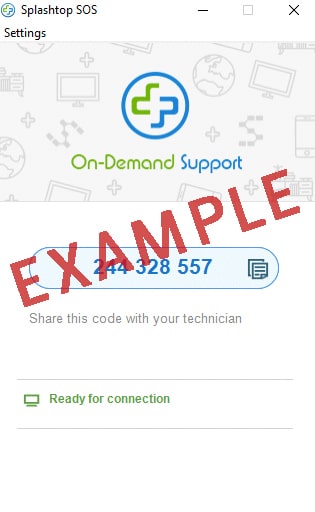
Run the software and provide the access code to the member of the INSC support team who is assisting you.
IT STAFFING
Managed IT
Free Consultation
Cloud Backup & Disaster Recovery
IT Management (MSP)
Network Operations & IT Help Desk
Project Management
Co-Managed IT
Help Desk IT Services
Outsourced IT
IT Strategic Consulting
Cloud Services
Cybersecurity
Cyber Solutions
SOC 2 Compliant
High Compute
Industries
Legal Industry
Financial Sector
Education
Healthcare
Government
About Us
Our Management Team
SOC 2 Compliant
News & Insights
Case Studies
Careers
Contact Us